
What I Learned Rethinking Self-Hosted Supabase
Never have I grown more as a software engineer than learning to self-host Supabase on Railway. Over the course of about two months, I stretched my capacity in ways I couldn’t have imagined when I started. I’m going to briefly introduce Supabase (The Open-Source Firebase Alternative), explain my novel approach to self-hosting it (on the Railway cloud platform and beyond), and offer some thoughts on how this experience positively impacted me as a software engineer.
Supabase: The Postgres Development Platform
Over the last five years, Supabase has emerged as one of the most popular open-source software projects in existence. Not only is it singularly popular within the Postgres ecosystem; it’s one of the most popular open-source software projects of all time. As of November 17th 2025, it is the 97th most-starred GitHub repository with 92879 stars.
Supabase is a backend for building applications on top of Postgres. It includes a Postgres database, Authentication, instant APIs, Edge Functions, Realtime subscriptions, Storage, Vector embeddings, and more. It is highly configurable, portable across clouds via Docker Compose, and intelligently takes care of the “data” and “API” layers of any complex app.
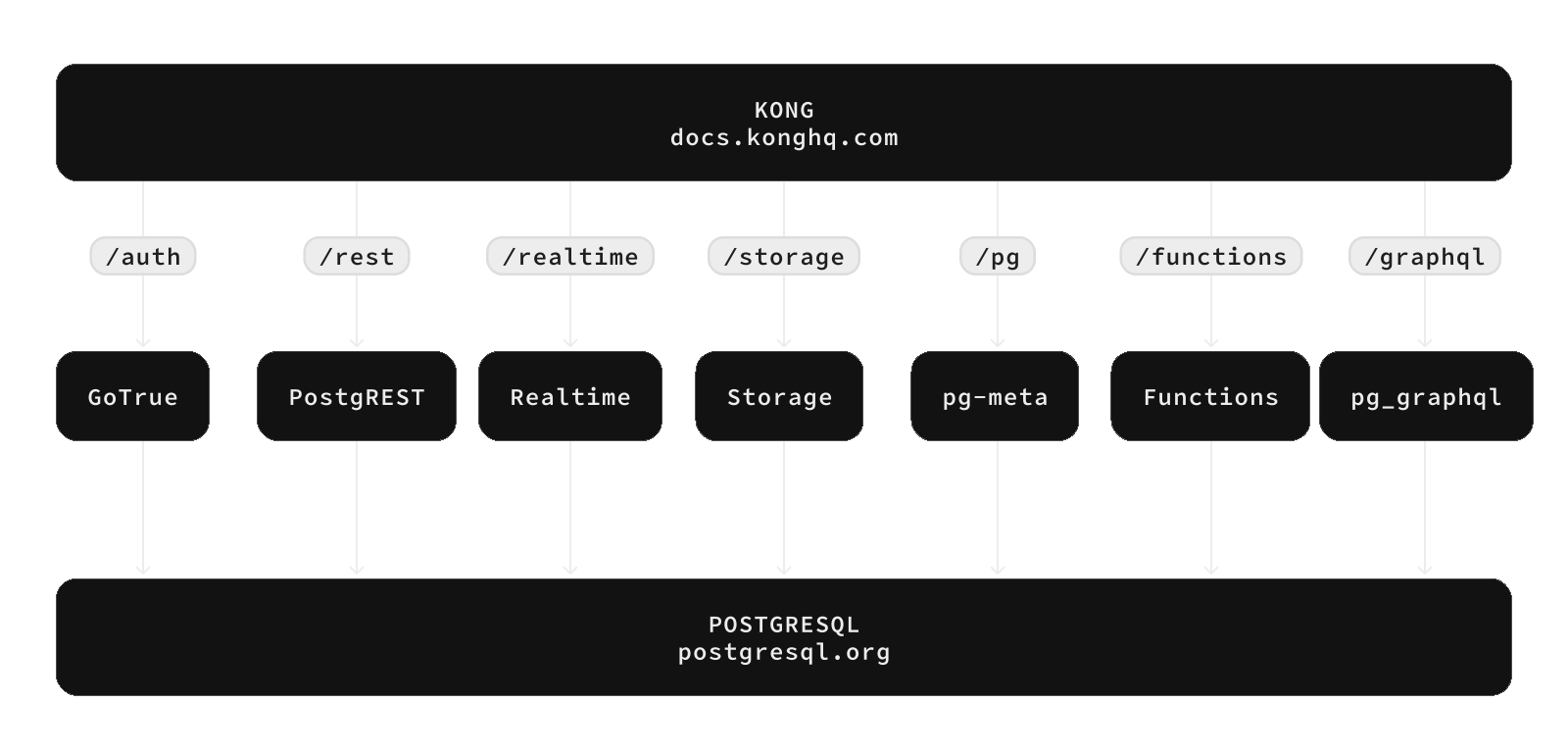
Building the “application” layer has never been this fast --- true to their tagline of “Build in a weekend, Scale to millions”, solo devs have seen their passion projects generate seven figures of revenue in a matter of days.
PG On Rails: Self-Hosted Supabase, Amazing DX
Railway has been my go-to cloud provider for three years now. For over a year I thought to myself, “wouldn’t it be incredible to have an entire Supabase instance AND a web app running on Railway…”
I decided to use their “templates” feature and build out a complete template. PG On Rails has been on the template marketplace since October 2025, and I keep it very up to date. I’ll explain more below about how I keep it updated, as I learned a few handy tricks about GitHub and automation along the way. Visit the PG On Rails GitHub repo here.
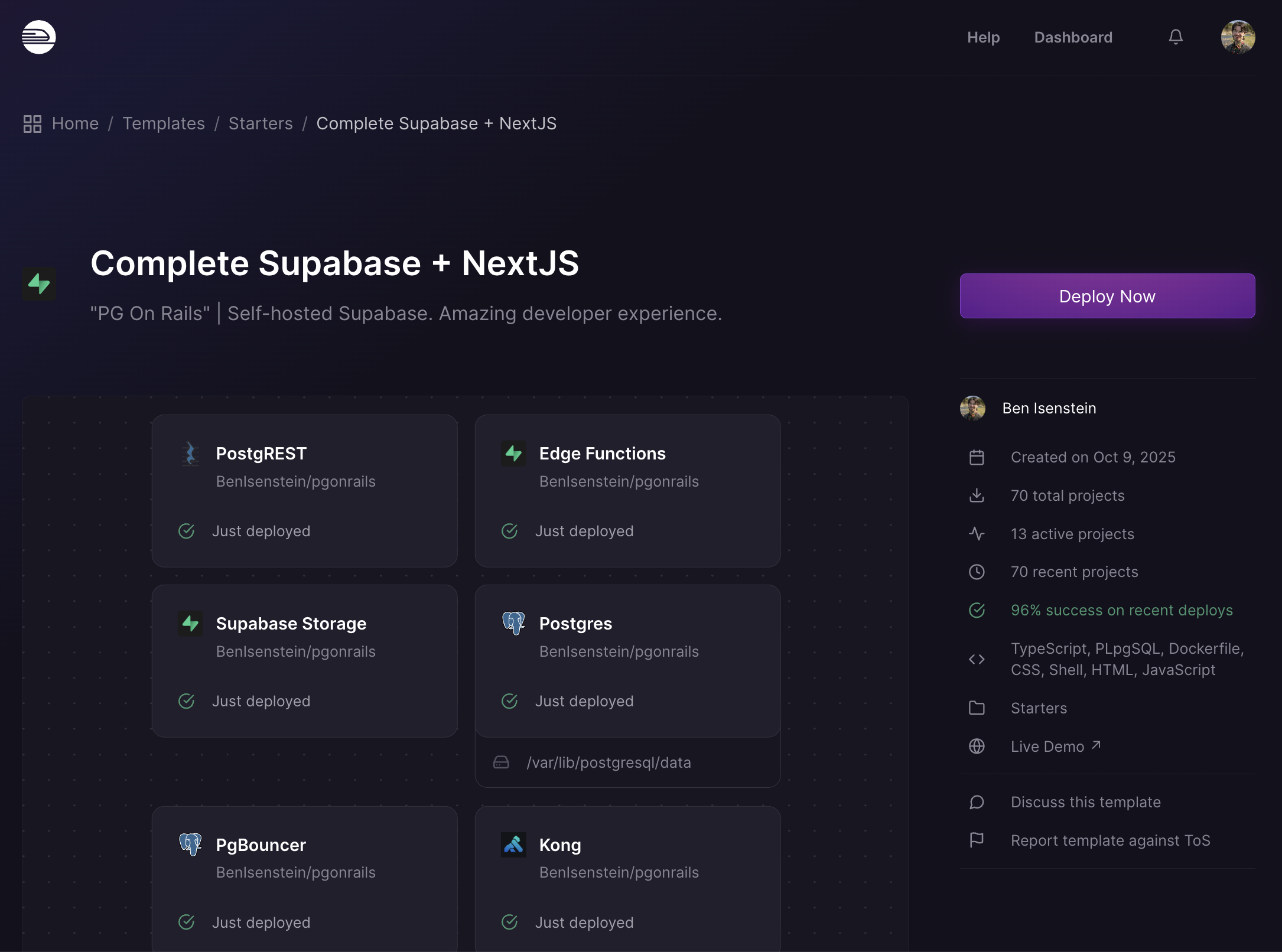
PG On Rails seeks to push the state of local dev with Supabase to a new standard: the monorepo. Every single service builds from a directory. Why is that useful? You can store all the app logic and other files your service needs in one place. The key to unlocking this pattern is replacing the image attribute with build in docker-compose.yml:
// Docker-compose service entry for "auth"

name: pgonrails

services:
    auth:
        build: ./auth
        // health check, environment, etc...
If we look in the ./auth directory in the PG On Rails codebase, we find that the email templates live with the Auth Dockerfile (look no further 😏). Similarly, all edge functions live in a folder right next to the Edge Runtime Dockerfile, and so on for every service in the stack.
Putting each service into its own directory aligns with a deployment pattern used by modern cloud platforms like Railway - services build from “watch paths”, or sub-directories in a larger GitHub repo that has been configured as the build source for a given service in your cloud project.
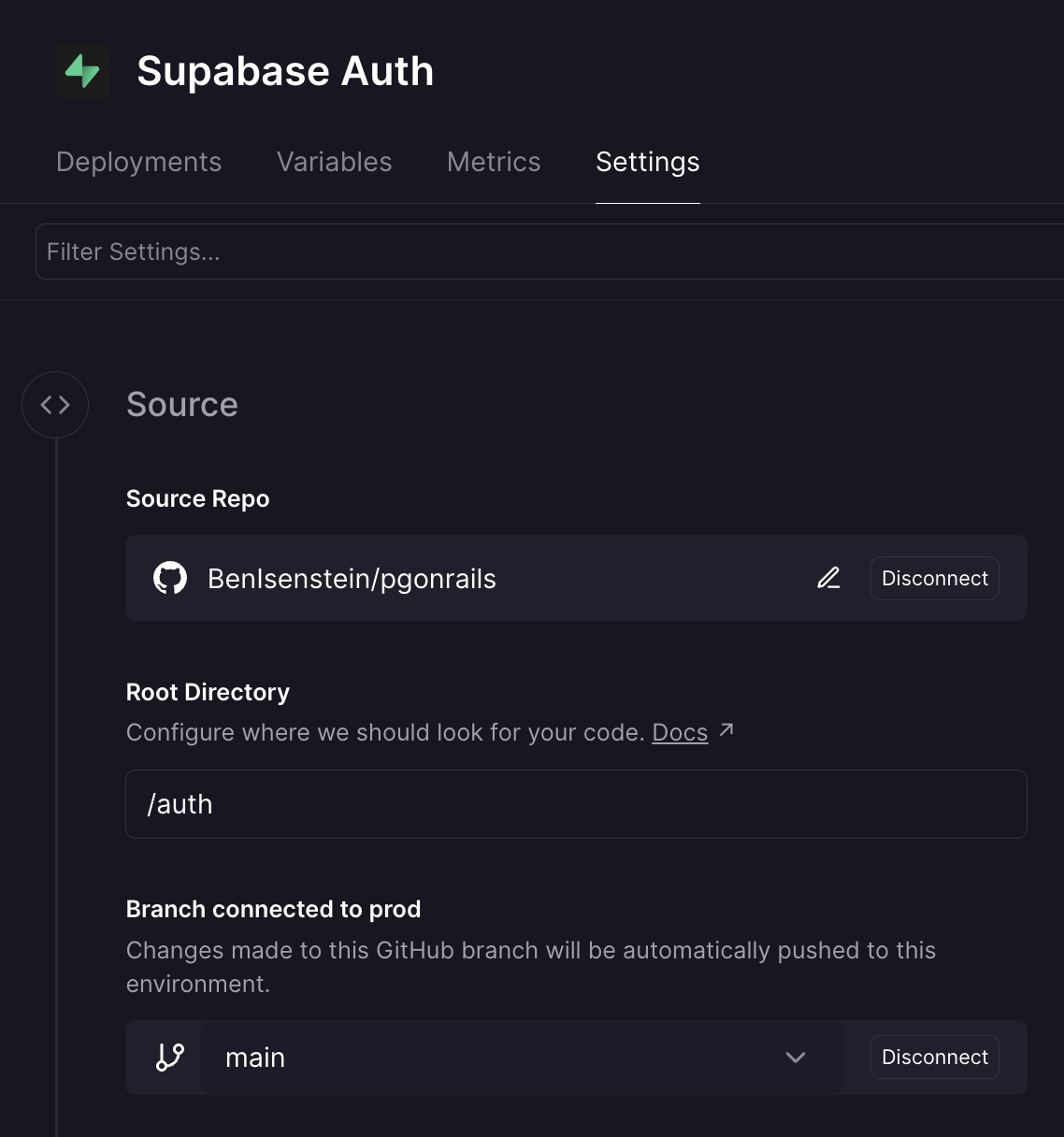
This is in essence what a project built with PG On Rails is: a giant monorepo, in which each cloud service builds from its corresponding directory, enabling continuous deployment of the relevant service when work is committed. And the magical part of this for our dev experience is that local dev with docker compose is built on the exact same mental model. 1-to-1 mental mapping from local to cloud.

What I’ve Learned
Here are some of the concepts and skills I’ve taken from my time creating PG On Rails:
Automating GitHub PRs + Railway PR Environments
I’ve set up a cron job that regularly checks the Docker image versions in Supabase’s official docker-compose.yml file on GitHub. If any have updated, a PR is opened in the BenIsenstein/pgonrails repo.
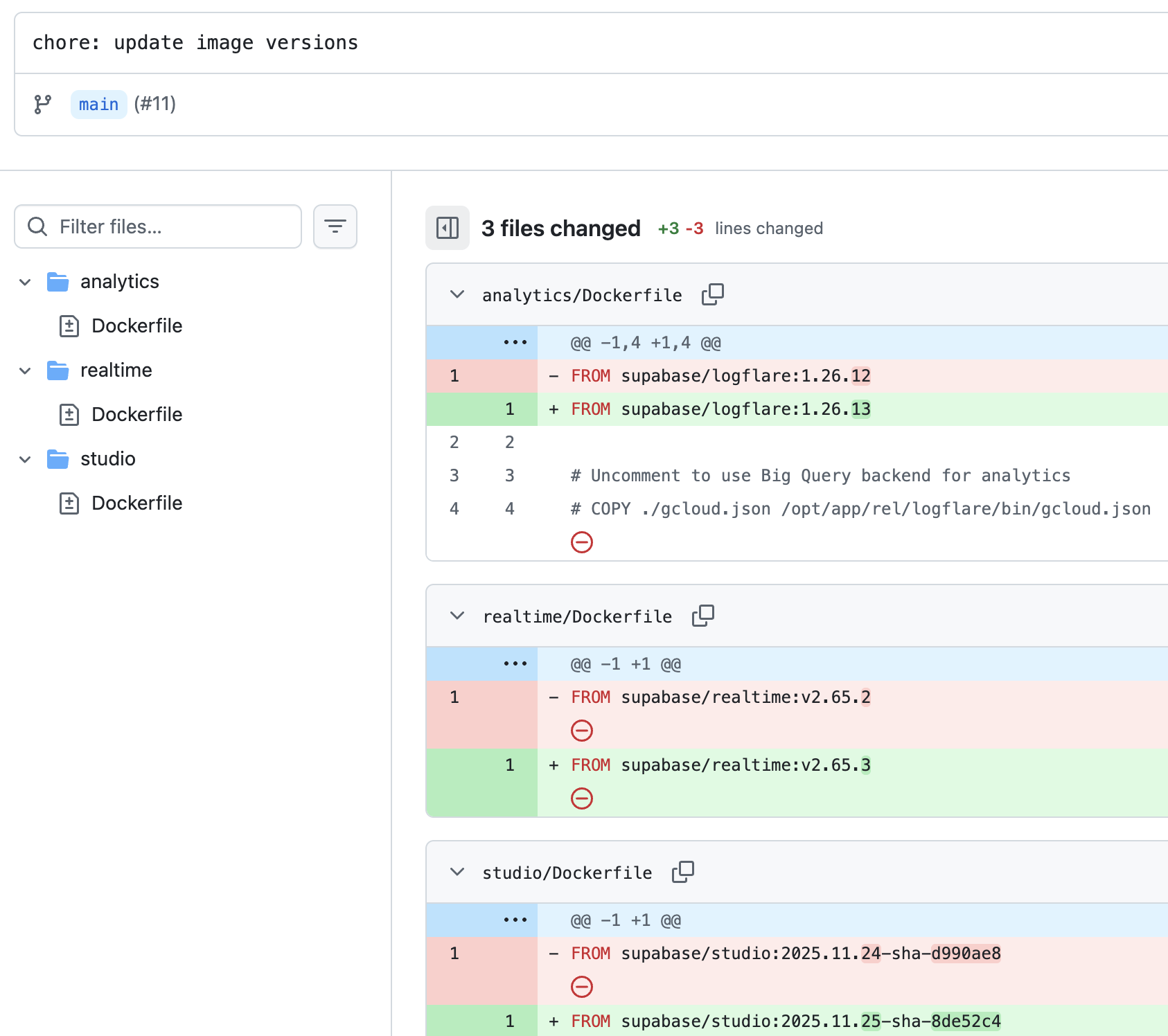
This triggers a Railway PR environment that I can manually visit and confirm the entire feature set works.
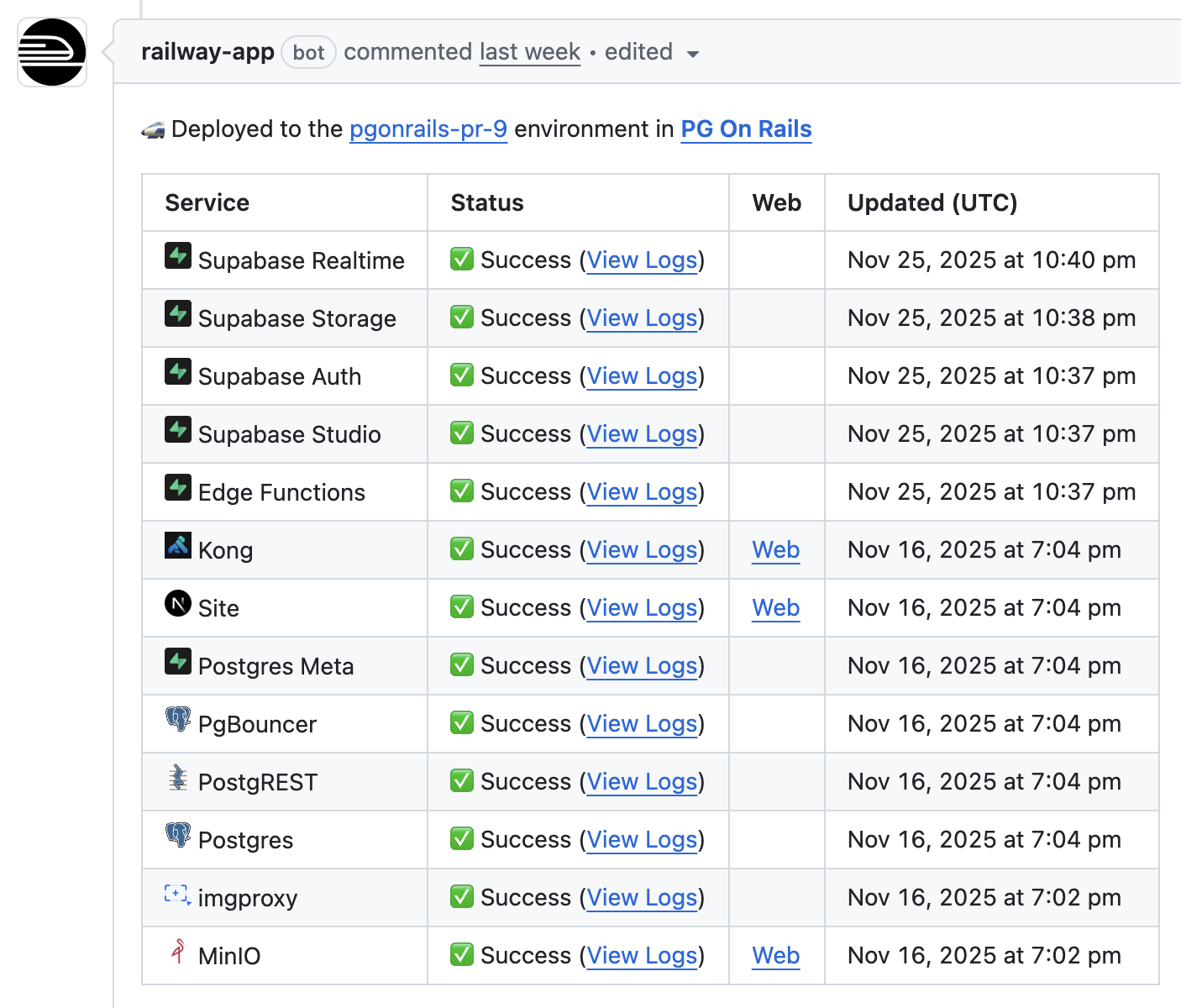
The Glue Connecting Everything: Shell, Docker, YAML
Having basic competence in shell scripting, writing Dockerfiles, and writing YAML (docker-compose.yml, kong.yml) is what gets your application code into the arena. Until one acquires these skills, they’re basically just a programmer, like the archetypal “React dev” who has no idea how the frontend app they work on even gets deployed.
There’s good news: the level of competence in these “glue” technologies one needs in order to receive an “80/20” benefit to their software engineering is almost trivial to acquire. With just a bit of scripting, copying files into your Docker image, and configuring your Docker Compose stack, you’ll feel like you discovered a new superpower in no time 😉.
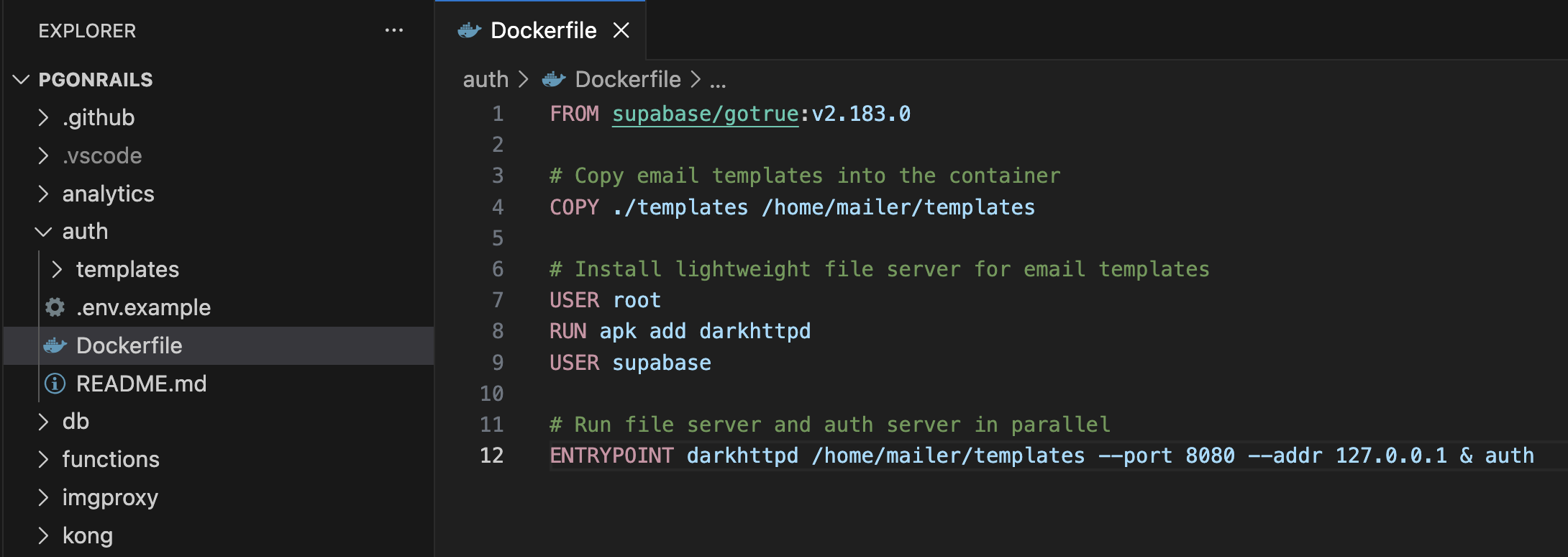
Take the example of the Dockerfile for the Supabase “Auth” service used by PG On Rails. You’ll see some commands from the Dockerfile language itself such as COPY, and some pure shell executed with the RUN command:
FROM supabase/gotrue:v2.183.0

# Copy email templates into the container
COPY ./templates /home/mailer/templates

# Install lightweight file server for email templates
USER root
RUN apk add darkhttpd
USER supabase

# Run file server and auth server in parallel
ENTRYPOINT darkhttpd /home/mailer/templates --port 8080 --addr 127.0.0.1 & auth
Distributing A Shell Script With Curl: A Quick ‘n’ Dirty CLI
You can deploy PG On Rails to Railway with a single command:
bash <(curl -fsSL https://raw.githubusercontent.com/BenIsenstein/pgonrails-cli/main/start.sh)To learn more, visit the PG On Rails CLI repo.
NextJS Example: Combining Supabase With Web Fundamentals
To help devs get started building app features as fast as possible, I put together a NextJS app that ships with PG On Rails. It’s integrated right into the Docker Compose stack, and includes a UI to manage users with Supabase Auth.
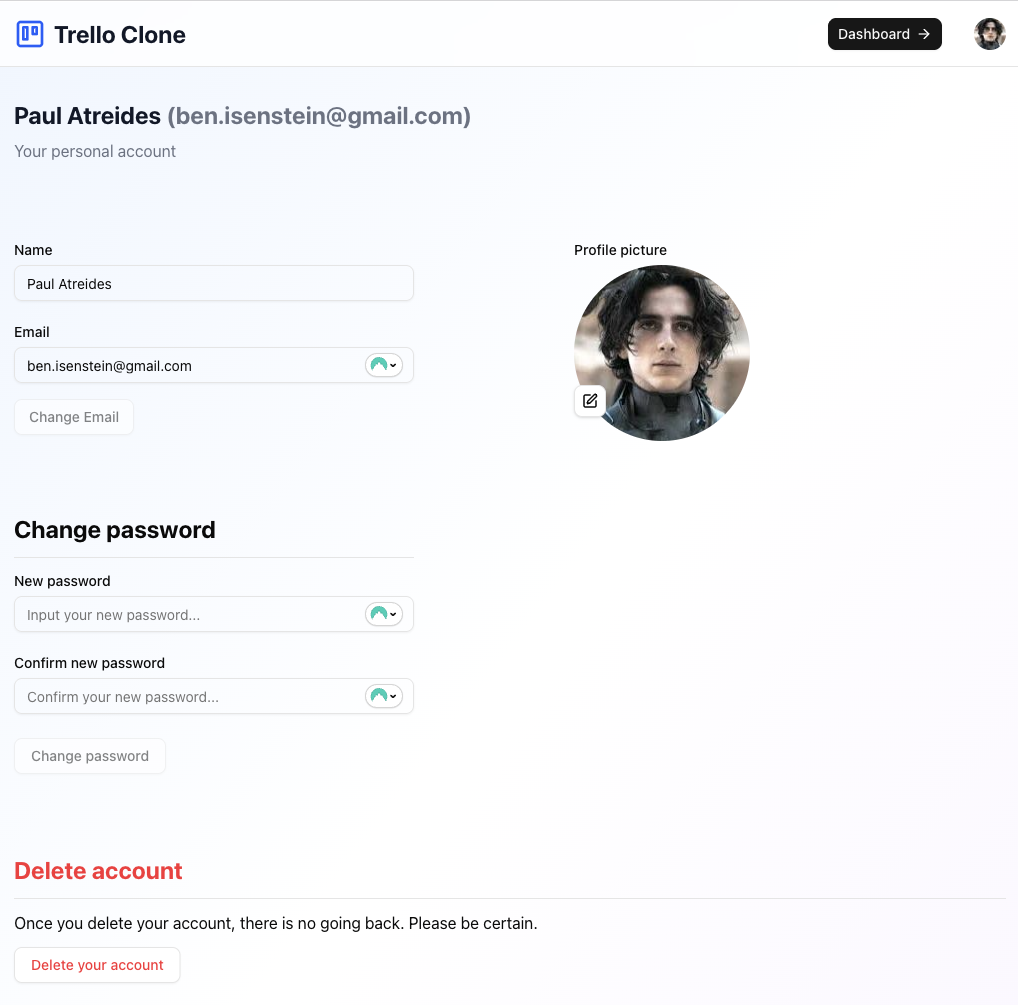
Here’s a list of some useful skills and knowledge I picked up while building the example app:
- Cookie auth. Using the
Set-CookieHTTP header, our web server can save cookies, such as a user’s auth session, in a client browser. - The supabase-js
Storageinterface is helpful. It allows the supabase auth client to hook into a variety of external cookie systems. (NextJS server-side or browserCookieAPI) - I found the supabase-js code to get and set cookies. It involved chunking large cookies to chunks of 3180 bytes. Not sure why they decided on a value smaller than the internet standard of 4096.
- I saw how JS objects are stringified then Base64URL encoded.
- I found the default supabase storage key at which the session is stored. They named it
auth-tokeneven though there’s an entire session in that cookie. - Postgres Function Security Levels. Functions run as the caller unless you write them as security definer functions. Very helpful for executing SQL triggers that require elevated access.
- Implementing cache-buster timestamp on all user avatars. Cache-control is great until you want to update your profile pic instantly. I used native hypermedia via the
srcattribute, simply mutating thesrcfor an image on the client to reload it. - Getting Into The Weeds Of Postgres Procedural SQL (plpgsql). A few examples: The text concatenation operator is
||. When you concat text to null, it evaluates tonull. You can cast a lot to::jsonbincluding SQL null to jsonb null. More explicit is better. lean towards strongly casting all inputs to Postgres functions.coalesce()can save you, such ascoalesce(raw_user_meta_data, '{}'::jsonb).
Thanks for making it this far! For your next Supabase project, please consider using PG On Rails. Until next time.